Installing
Office Scripts is available in Office on the Web and Desktop.
Office Scripts is enabled by default in Office 365, although you administrator could have disabled it.
 |
Admin Center Settting
Office Scripts has to be enabled through the Microsoft 365 Admin Center.
Login to Office Online.
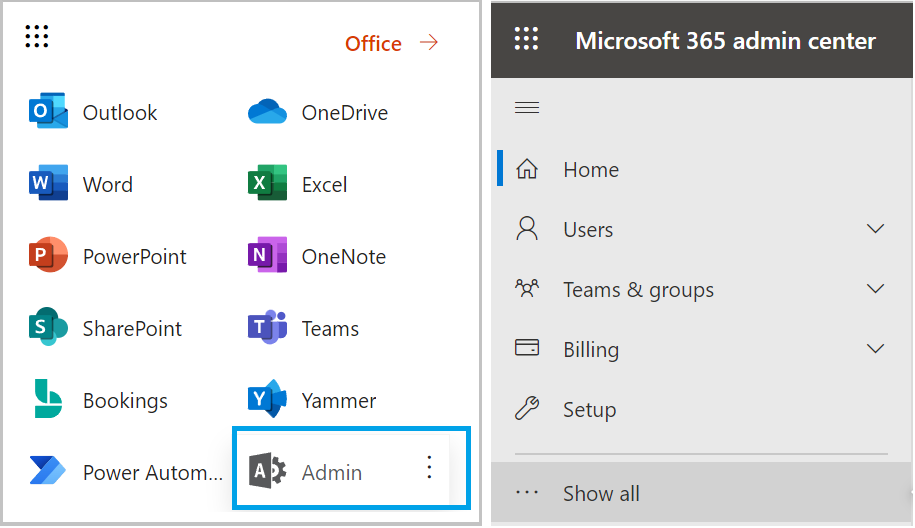
Select Admin and click "Show all" on the left hand side.
 |
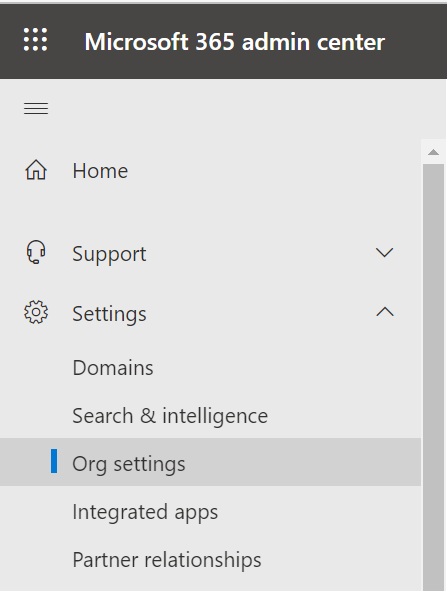
Expand "Settings" and click "Org settings".
 |
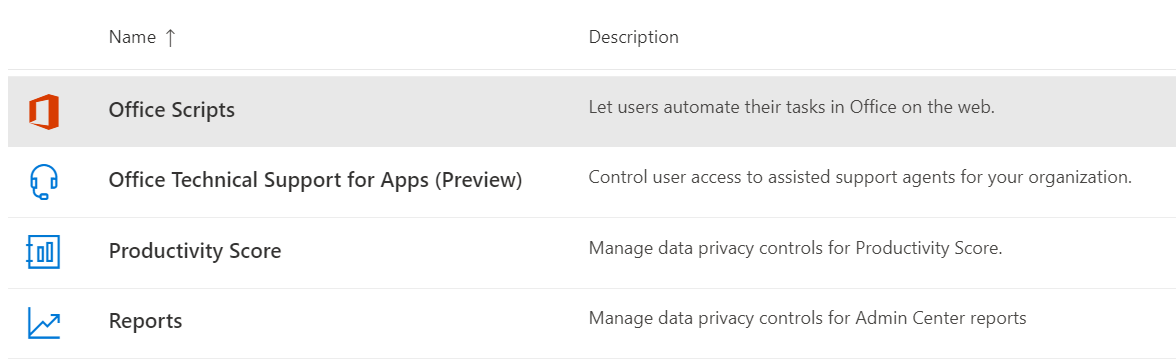
In the list find the item "Office Scripts".
 |
Click on "Office Scripts" to display a pane on the right hand side.
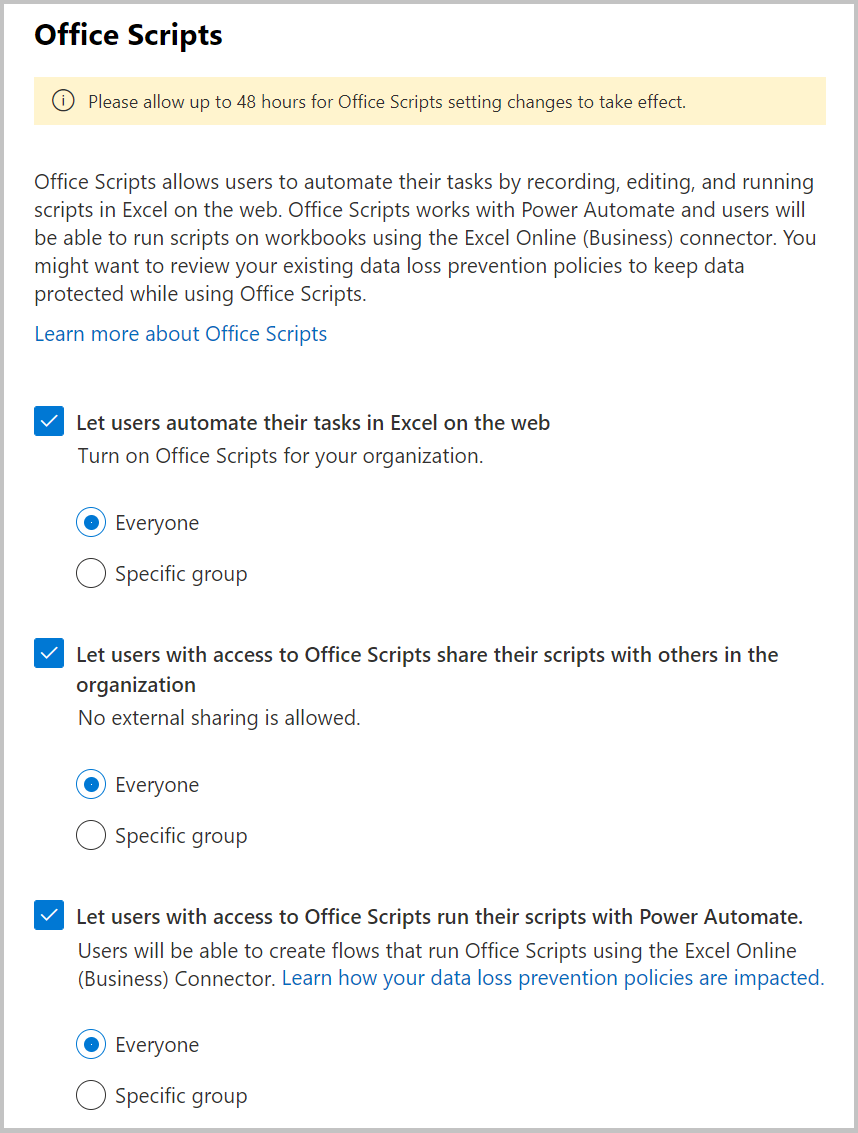 |
Check "let users automate their tasks in Office on the web" checkbox.
Click "save changes".
Open Excel Online and launch a new blank workbook.
An additional tab will be displayed called "Automate".
© 2026 Better Solutions Limited. All Rights Reserved. © 2026 Better Solutions Limited TopPrevNext