Code Editor
Pressing the "Code Editor" button on the Automate tab will display the Code Editor task pane.
The My Scripts pane will be displayed showing you a list of any previously recorded scripts.
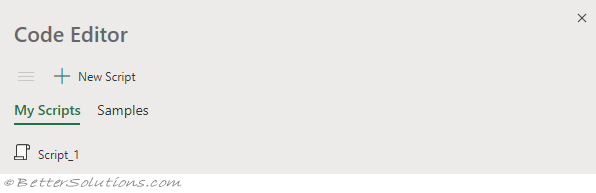 |
Menu - (Hamburger Button) Toggles between the Script View window and the My Scripts window.
New Script - Displays the Script View window allowing you to type the script directly.
My Snippets - Displays the My Snippets window displaying a list of your saved snippets.
Samples - Displays the list of code samples.
New Script
Displays the Script View window.
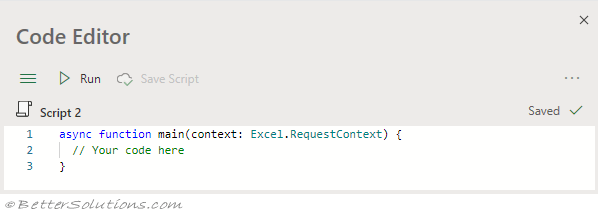 |
Menu - (Hamburger Button) Toggles between the Script View window and the My Scripts window.
Run - Runs the script on the active workbook.
Save Script - Saves the script to the cloud.
You can click on the name of the script to Rename the script.
Save Script
All scripts are saved in the following folder:
My Files/Documents/Office Scripts/
The version history of the file should be used as an alternative.
Intellisense
When you start typing it will search for the substring.
Click on the dots for more information
Case Sensitive
Output Tab
You can use "console.log" to write to the Output window.
Problems Tab
Logs
You can turn on the logging console by pressing the Ellipses button and select Logs.
© 2026 Better Solutions Limited. All Rights Reserved. © 2026 Better Solutions Limited TopPrevNext