COUNTSUBSTRING
COUNTSUBSTRING(within_text, find_text)
Returns the number of times a substring occurs in a larger text string.
| sText | The text containing the character you want to count. |
| sSubString | The substring to count the occurrences of. |
| bCaseSensitive |
REMARKS
Counts the number of times a character occurs in a text
This way you can for example count the number of commas in a cell. This function is case sensitive.
COUNTSUBSTRING_ACROSSCELLS
link formulas - count-substring-occurrences
link formulas - count specific words
include extra arguments for just lowercase or just uppercase
* '=(LEN(text)-LEN(SUBSTITUTE(text,substring,"")))/LEN(substring)
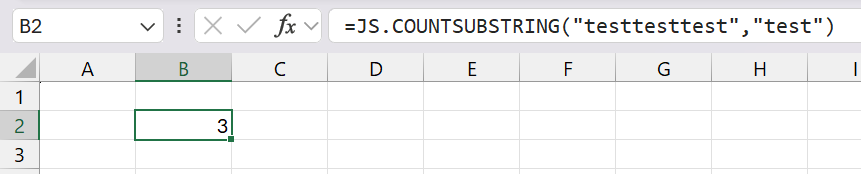 |
EXAMPLES
??
MORE FUNCTIONS
??
© 2026 Better Solutions Limited. All Rights Reserved. © 2026 Better Solutions Limited TopPrevNext