COUNTVISIBLE
COUNTVISIBLE(rgeValues, bIncludeText, bIncludeErrors)
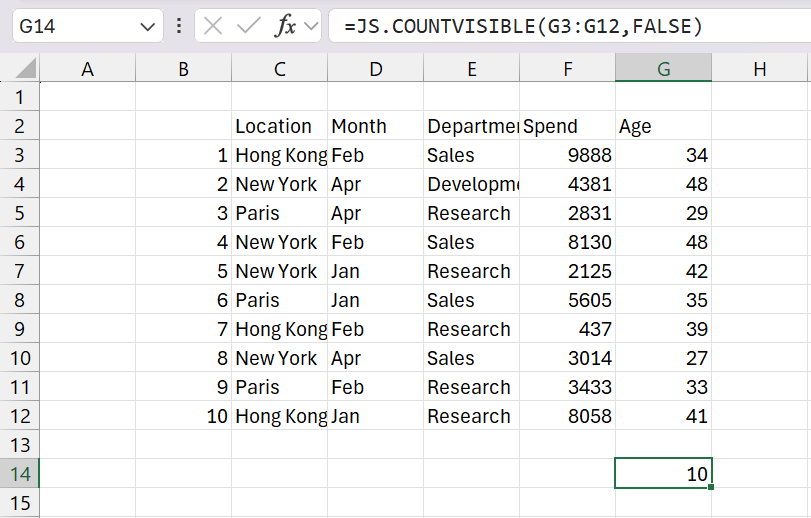
Returns the number of visible, non blank cells in a range.
| array | |
| bIncludeText | Whether to include text. |
| bIncludeErrors | Whether to include error values. |
REMARKS
* This function excludes hidden cells caused by AutoFilter, Grouping or that have been Manually Hidden.
* The built-in COUNT function will always include hidden cells.
* You can use the add-in COUNTIFSVISIBLE function to return the number of visible, non blank cells that satisfies multiple conditions.
* Similar to the AVERAGEVISIBLE, MAXVISIBLE, MINVISIBLE and SUMVISIBLE add-in functions.
 |
MORE FUNCTIONS
COUNTBETWEEN Returns the number of cells that have a value that is between "min_value" and "max_value".
COUNTFORMAT Returns the number of cells that have a particular cell colour or font colour.
MEDIANVISIBLE* function to return the number in the middle from the visible, non blank cells.
© 2026 Better Solutions Limited. All Rights Reserved. © 2026 Better Solutions Limited TopPrevNext