WORKSHEETNAME
WORKSHEETNAME()
Returns the name of the worksheet in a given position.
| reference | Optional, a cell on the sheet that you want to get the name from If omitted the name of the current sheet is returned. |
| iSheetNo | Optional The number of the worksheet you want the name of. |
REMARKS
??
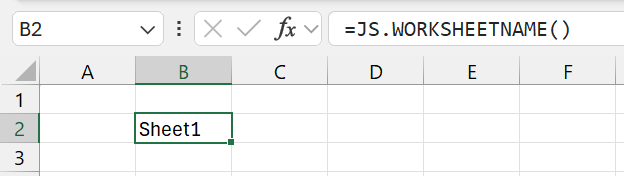 |
MORE FUNCTIONS
WORKBOOKFILENAME Returns the file name of the active workbook.
WORKBOOKPATH Returns the folder path (or full path) of the active workbook.
WORKBOOKPROPERTIES Returns a particular workbook property of the active workbook.
© 2026 Better Solutions Limited. All Rights Reserved. © 2026 Better Solutions Limited TopPrevNext